Teamwork#
The account owner can create sub-users so other people can work alongside them: each sub-user sees and can open only the profiles assigned to them. This page covers creating sub-users, granting permissions, assigning profiles and taking them back.
Manage sub-users#
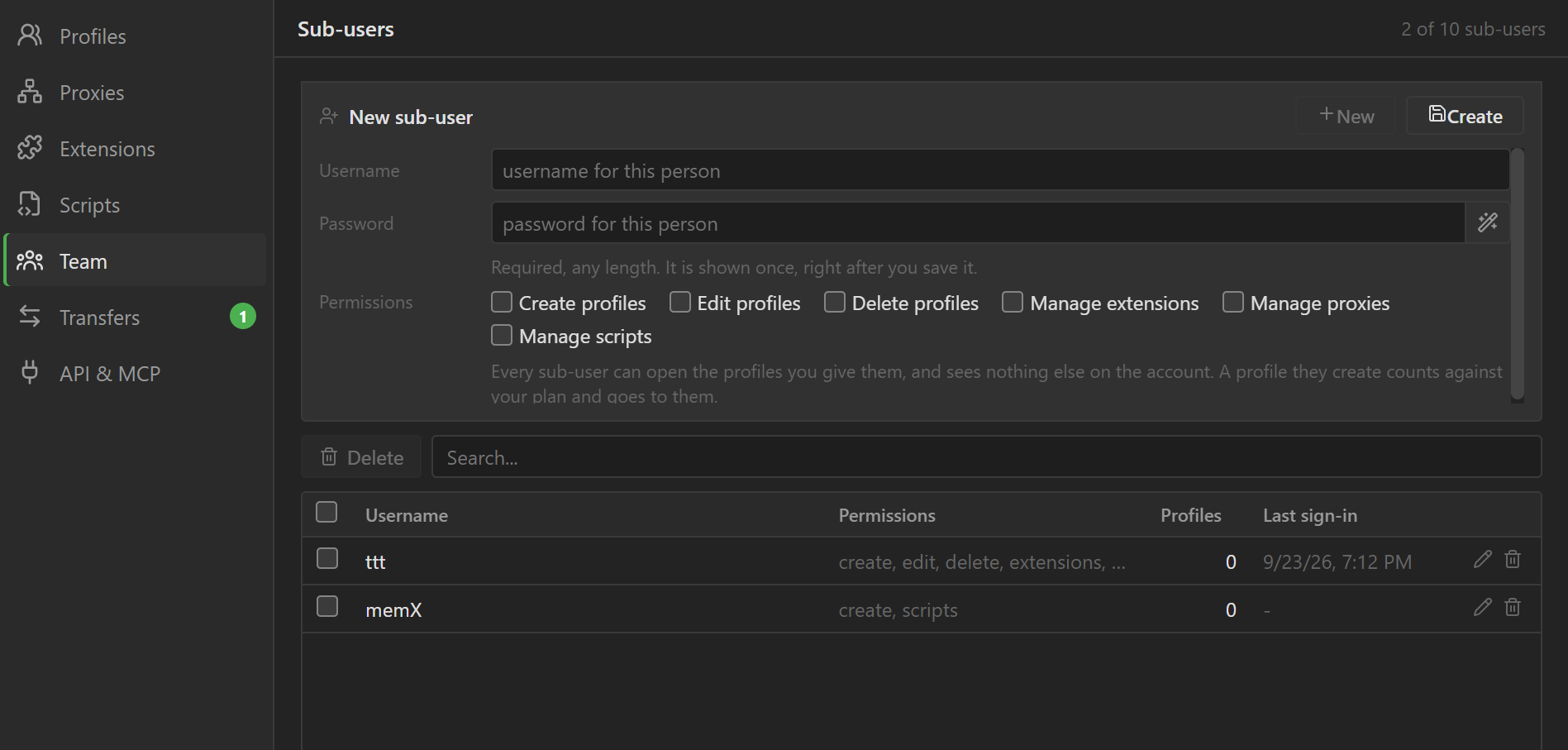
Click Team in the sidebar to open the Sub-users screen. At the top is the panel for creating and
editing; below it is the list of sub-users, with the number of profiles each one holds (Profiles)
and their most recent sign-in (Last sign-in). Only the account owner sees this item.
Create a sub-user#
- If the panel is showing another sub-user, click
New. - Enter a
Username: 3 to 64 characters, made of letters, digits, dots, hyphens and underscores. The username must not match anyone else's across all of 9Login; if it does, the app saysThat username is taken. Pick another one. - Enter a
Password, or click the button next to the box to fill in a random password. The password only needs to be non-empty. - Check the permissions to grant, then click
Create.
Right after you save, the password shows in its own panel with a Copy button. Copy it and send it to
the person right away, because the app does not show this password again.
Edit and delete#
Double-click a row (or click the pen icon) to open that sub-user in the panel at the top. You can
change the permissions and the password, but not the username. Leave the Password box empty to keep
the old password.
When you change the password, the app asks you to confirm first. The old password stops working at once and the person is signed out everywhere; browsers they have open stay open.
To delete, click the trash can on the row, or check several rows and click Delete. The deleted
person is signed out and that sub-user account is deleted permanently. The profiles they held return
to you; no profile is deleted.
Permissions#
A new sub-user has none of the six permissions below.
| Permission | Allows |
|---|---|
Create profiles |
Create new profiles. Profiles they create count toward your plan and are assigned to them automatically. |
Edit profiles |
Edit the profiles assigned to them. |
Delete profiles |
Delete the profiles assigned to them. |
Manage extensions |
Add and delete extensions in the account's shared extension list. |
Manage proxies |
Add, edit and delete proxies in the shared proxy list. |
Manage scripts |
Create, edit and delete scripts in the script library, and tasks. |
Without any permission, a sub-user can always open the profiles you assign and sees only those profiles. For these profiles, they can also import cookies, upload or download cloud data, and clear browser data on their own.
A sub-user can never manage sub-users, assign or take back profiles, transfer profiles to another account, or export cookies to a file. Buttons outside their permissions are greyed out, with a note telling them to ask the account owner.
Sub-user sign-in#
The sub-user installs 9Login on their computer. On the sign-in screen, they choose
Sub-user, then enter the Username and Password you gave them.
Assign and take back profiles#
You assign a profile so that a sub-user can see and open it. Each profile is held by at most one sub-user, and you can still see and open every profile on the account.
To assign profiles:
- Select one or more profiles in the main table.
- Click the person-with-plus button on the toolbar, or open a row's three-dot menu and choose
Assign to.... - Pick a person in the list that appears. The list has a search box.
An assigned profile has a red person icon at the end of its name; hover over it to see who holds it.
If the profile is held by another sub-user, the app asks you to confirm (Reassign), and the browser
that person has open on this profile closes within a few minutes.
A profile assigned, created or changed on another computer shows up within a few minutes, or at once after clicking the Refresh button (circular arrows) on the toolbar. The same button is at the top right of the proxy, extension, script and task lists.
To take a profile back, select it and click the person-with-minus button on the toolbar, or choose
Take back in that row's three-dot menu. The profile returns to you. If the sub-user has the profile
open somewhere, that browser closes within a few minutes.
The Search... box above the table also searches by sub-user username. Type a person's username to
list the profiles they hold.