Quick start#
9Hits is an automatic traffic exchange: you run the Viewer app to view other members' pages and earn points, then spend those points to have other members view your campaigns. This page walks through four steps, each in a few sentences with a link to the detailed page.
1. Sign up#
Sign up for free at https://dash.9hits.com/register with a username, a real email address and a password. The system sends an activation email to the address you entered; you must open the link in that email before you can use the account. The email often lands in junk mail, so check your spam folder too.
2. Get your access key#
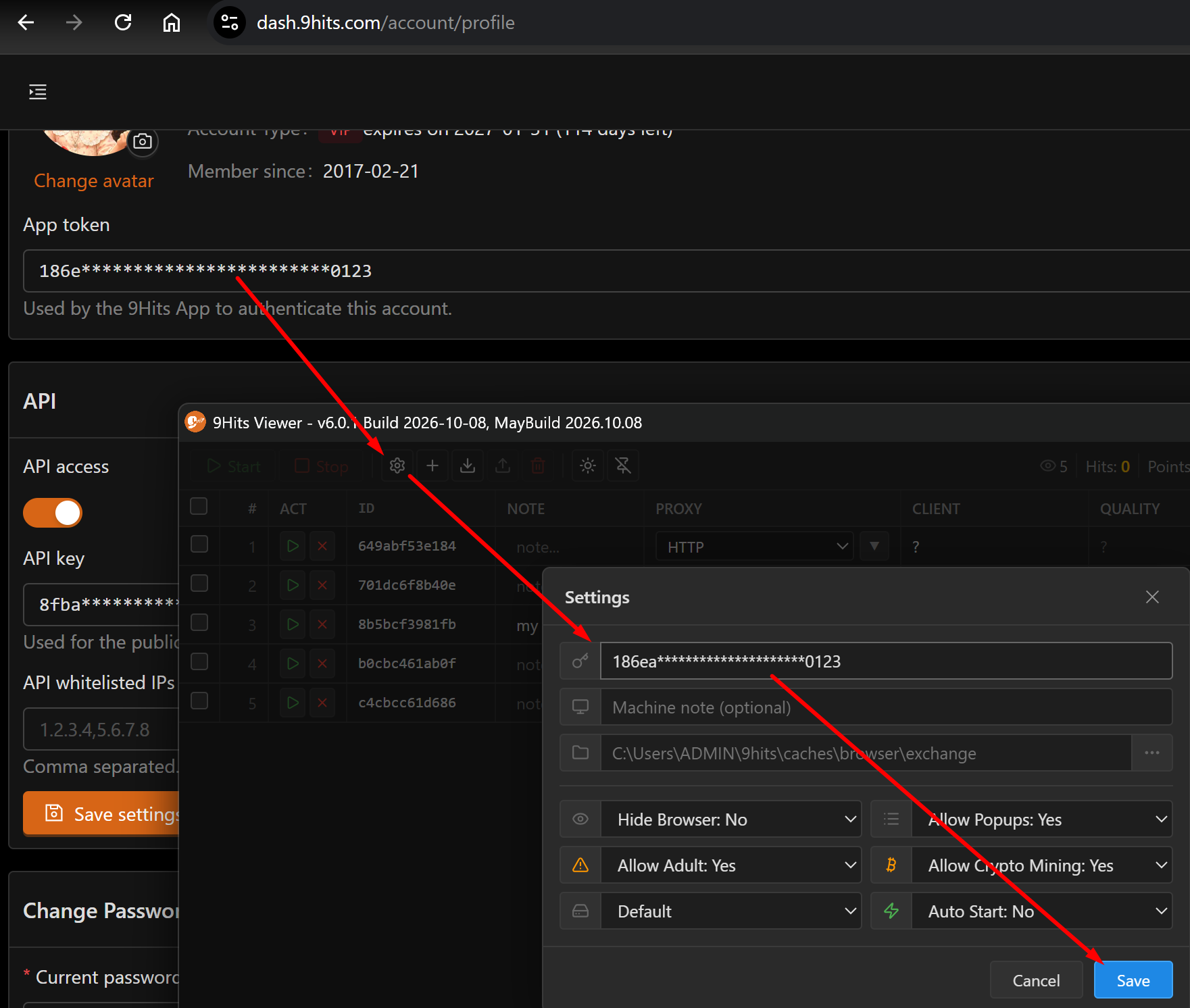
The access key is a 32-character hex string that links the app on your computer to your account. Get
it on the Profile page https://dash.9hits.com/account/profile, in the App token field. Anyone who
has your access key can run Viewer under your account.
3. Install and run the app#
Install Viewer on Windows, Linux or Docker by following the Installation guide.
Open Viewer, go to Settings, paste the access key into the Access Key field and click Save.
Then click Add session to create a session, and click Start.
From then on, the session picks up pages to view by itself and earns points for you; one point is
roughly one second of viewing.
Monitor and manage your sessions in Managing sessions. For how points are calculated, and why the amount you receive differs from the amount others are charged, see How points work.
4. Create a campaign#
Once you have points, create a campaign at https://dash.9hits.com/campaigns: enter the target URL, the view duration and the targeting filters, then turn the campaign on. The system serves the campaign to matching sessions and deducts points based on how long your page is actually viewed.
All campaign options are described in Campaign settings.
For your first campaign, keep the filters broad
Each filter you turn on narrows the set of sessions that can receive your campaign. Start with broad conditions, run for a few hours to get real data, then tighten the filters one at a time.